Essential Tips for Optimizing Your Home Office Space

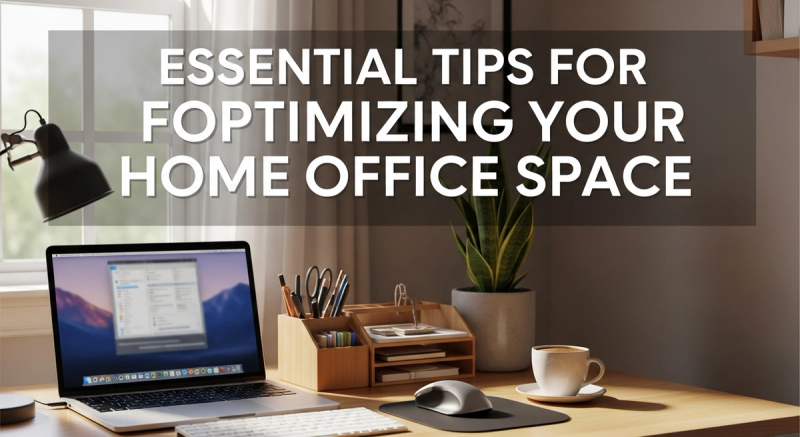
In today's remote-work landscape, your home office isn't just a corner of your living room—it's your command center for productivity, creativity, and professional growth. With millions embracing flexible work arrangements, optimizing your home office space has become crucial for maintaining focus, reducing stress, and achieving work-life balance. Whether you're a freelancer, remote employee, or entrepreneur, these practical strategies will transform your workspace into an environment that fuels success while supporting your well-being.
1. Strategic Space Selection
Dedicated Zones Matter
Choose a location that signals "work mode" to your brain. Avoid high-traffic areas like kitchens or living rooms where interruptions are inevitable. A separate room is ideal, but if space is limited, consider partitioning solutions like room dividers or bookshelves to create visual boundaries. Natural sunlight exposure is a bonus—studies show it improves mood and reduces eye strain.
Layout Fundamentals
Position your desk perpendicular to windows to minimize glare on screens while maximizing natural light. Follow the "work triangle" principle: place your desk (work area), storage (support), and chair (rest) in close proximity to minimize movement friction. Ensure pathways remain clear to avoid tripping hazards or accidental clutter accumulation.
2. Ergonomic Excellence
Chair and Desk Dynamics
Invest in an adjustable office chair with lumbar support and armrests at elbow height when typing. Your desk should allow for proper posture: feet flat on the floor (or footrest), knees at 90 degrees, and monitor top at eye level. Standing desks are excellent alternatives—consider a converter model if budget constraints exist.
Keyboard and Mouse Setup
Keep wrists in a neutral position while typing. Use keyboard trays or wrist rests if needed. For mouse users, position it close to the keyboard to avoid overreaching. Trackballs or vertical mice can reduce wrist strain during marathon work sessions.
3. Lighting Optimization
Layered Lighting Approach
Combine ambient (overhead), task (desk lamp), and accent (decorative) lighting. Avoid harsh overhead lights that create glare. Position task lights to illuminate documents without reflecting on screens. Consider color temperature—4000K-5000K (cool white) is ideal for focus, while warm tones (2700K) suit creative work.
Natural Light Management
Use sheer curtains to diffuse direct sunlight, reducing glare and preventing screen washout. Position monitors perpendicular to windows to minimize reflection. If natural light is scarce, full-spectrum bulbs can mimic daylight's benefits for mental alertness.
4. Clutter Control Systems
Zoned Organization
Implement the "one-touch" rule: handle each item once—file, trash, or return to its designated zone. Use drawer organizers for small supplies and wall-mounted shelves for books and files. Digital clutter also counts: organize cloud storage with clear folder hierarchies.
Digital Decluttering
Maintain a clean desktop by using virtual desktops or organization tools like Fences. Schedule weekly digital cleanup sessions to delete unused files and unsubscribe from unnecessary newsletters. A streamlined digital space reduces cognitive load and decision fatigue.
5. Distraction Mitigation
Acoustic Solutions
Noise-canceling headphones are game-changers for open-plan homes. Add soft furnishings like rugs, curtains, and fabric chairs to absorb sound. For persistent noise, consider white noise machines or apps that generate ambient soundscapes.
Visual Barriers
Use plants, bookshelves, or privacy screens to block distracting views. Implement a "do not disturb" signal—whether it's a door sign or colored light—to communicate focus time to household members. The setting freelance goals guide emphasizes how protecting focus time directly impacts goal achievement.
6. Personalization Principles
Biophilic Elements
Incorporate plants like snake plants or pothos—they improve air quality and reduce stress. Natural materials (wood, bamboo) and nature-inspired colors (greens, blues) enhance cognitive function. Even small aquariums or nature-themed artwork can boost creativity.
Inspiration Stations
Create a vision board or display meaningful quotes and awards. Personal touches like family photos (non-work-related) can provide emotional grounding during stressful periods. However, limit decorations to avoid visual clutter that competes for attention.
7. Tech Integration Tips
Cable Management
Use cord organizers, clips, or sleeves to prevent tangling. Label cables with color-coded tags or tape for easy identification. Consider wireless peripherals to reduce cable clutter entirely.
Smart Workspace Setup
Implement smart lighting systems that adjust to circadian rhythms. Use voice assistants for hands-free reminders or task management. Ensure your internet setup is robust—invest in mesh systems if weak signals plague certain areas. For tracking business expenses, explore net worth apps that simplify financial management.
8. Budget-Friendly Upgrades
Not all optimizations require significant investment. Repurpose household items—kitchen drawers become supply organizers, stacking crates create makeshift shelves. Thrift stores often offer quality ergonomic chairs at reduced prices. Paint walls in calming colors (light blues or greens) for an instant mood lift without high costs.
9. Seasonal Adjustments
Reconfigure your workspace quarterly to accommodate changing needs. Summer might require airflow solutions like desk fans, while winter could benefit from space heaters and warm lighting. Rotate decor elements to maintain visual interest without constant upheaval.
10. Sustainability Practices
Choose energy-efficient electronics with ENERGY STAR ratings. Use recycled materials for organization—glass jars, cardboard boxes, or repurposed furniture. Reduce paper waste with digital note-taking apps. Small eco-conscious choices contribute to both environmental health and workplace satisfaction.
Optimizing your home office space is an ongoing process that evolves with your work style and life circumstances. Start implementing these tips gradually, focusing first on elements that address your biggest pain points. Remember, the most effective workspace balances productivity with personal well-being—a sanctuary where focus flows freely and inspiration thrives. As you refine your environment, you'll discover that small changes compound into significant improvements in daily performance and job satisfaction.
What's the minimum space needed for a functional home office?
While dedicated rooms are ideal, a functional home office can fit in as little as 50 square feet. Focus on vertical space with wall-mounted storage, compact furniture, and multipurpose items. The key is efficient use of available area rather than size alone.
How often should I reorganize my home office?
Perform quarterly deep cleanups to redistribute clutter and reassess storage systems. Conduct mini-organizing sessions weekly—just 15 minutes can prevent buildup. Reorganization frequency depends on your workflow, but consistency prevents chaos.
Can plants really improve productivity?
Absolutely. NASA studies show certain plants reduce airborne toxins by up to 87%, while other research links greenery to 15% productivity boosts and reduced stress levels. Snake plants, peace lilies, and ZZ plants require minimal maintenance yet offer significant benefits.
What's the best way to separate work from personal time at home?
Create physical and temporal boundaries: use a dedicated workspace even in small homes, establish consistent work hours, and develop a shutdown ritual—like packing your desk or taking a walk—to signal the workday's end. The freelance goals blueprint emphasizes boundary-setting for sustainable success.
Are standing desks worth the investment?
For many, yes. Standing desks reduce sedentary time, improve posture, and boost energy levels. Even alternating between sitting and standing for 30-minute intervals offers benefits. Start with affordable converter models before committing to full electric standing desks.
Related Tags

About the Author
Freya O'Neill
freya-o-neill is a technology journalist specializing in artificial intelligence, software innovation, cybersecurity, and emerging digital trends. She enjoys explaining complex technologies in clear, accessible language for both professionals and everyday readers.
Enjoyed this article?
Check out more content on our blog or follow us on social media.
Browse more articles