Building an Online Portfolio: Your Ultimate Guide to Creating a Digital Showcase That Converts

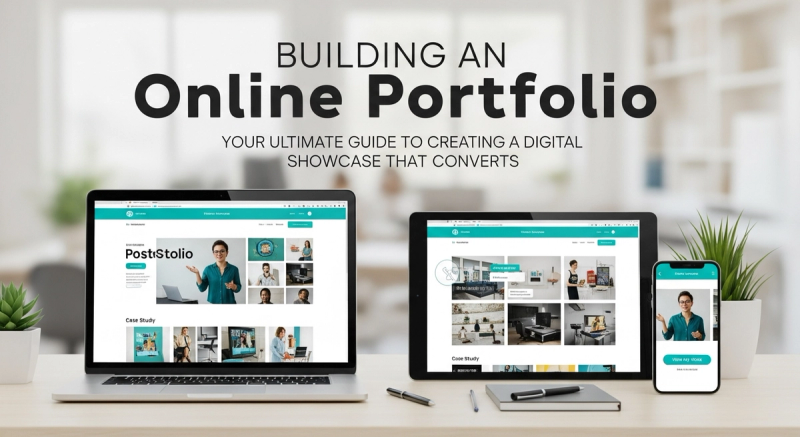
In today’s digital-first world, your online portfolio isn’t just a nicety—it’s your 24/7 salesperson, networking tool, and career accelerator. Whether you’re a freelancer, designer, writer, or developer, building an online portfolio is the single most effective way to prove your expertise, attract dream clients, and stand out in a saturated market. But where do you start? How do you transform your scattered projects into a compelling narrative that resonates? Let’s break down the process step by step, ensuring your portfolio doesn’t just exist—it converts.
Why Your Online Portfolio Matters More Than Ever
In 2026, first impressions are digital. A LinkedIn profile or resume alone won’t cut it; clients and employers want proof—tangible examples of your skills in action. Your portfolio answers the unspoken question: "Can you solve *my* problem?" It bridges the gap between "I’m qualified" and "Here’s exactly how I’ve delivered results for others." For freelancers, it’s non-negotiable: How to Build a Freelance Portfolio That Wins Clients (Even With Zero Experience) underscores how a curated portfolio can land gigs even without traditional experience.
Step 1: Define Your "Why" Before You Build
Before choosing a platform or uploading a single file, ask: *What’s my primary goal?* Are you aiming to attract freelance clients, land a job, or build authority in your niche? Your purpose dictates everything—from project selection to design. For example:
- Freelancers: Focus on project outcomes (e.g., "Increased client conversions by 40%").
- Job seekers: Align work with target company values and role requirements.
- Creatives: Prioritize visual storytelling and aesthetic cohesion.
Align this with your personal brand. A disjointed portfolio confuses visitors; a consistent one builds trust. As Brand Voice Refinement explains, authenticity in your presentation makes you memorable.
Step 2: Choose the Right Platform
You don’t need coding skills to create a stunning portfolio. Consider these options:
- Website Builders (Squarespace, Wix): Ideal for creatives. Drag-and-drop ease with templates optimized for visuals.
- Portfolio-Specific Sites (Behance, Dribbble): Great for designers but may limit customization.
- WordPress: Best for flexibility and SEO control (use plugins like Envira Gallery).
- LinkedIn: A quick start for professionals, but lacks depth for showcasing detailed projects.
For freelancers, prioritize platforms that let you embed case studies and track visitor engagement—tools that turn passive viewers into leads.
Step 3: Curate Work That Speaks to Your Audience
Quality trumps quantity. 5-7 stellar projects are better than 20 mediocre ones. Ask:
- Which pieces directly address my target audience’s pain points?
- How do these projects demonstrate versatility? (e.g., "I handled both strategy and execution.")
- Can I add context? Instead of just showing a logo, explain the client’s challenge and your solution.
For writers, editors, or consultants, include snippets or full case studies with measurable results. Quantify wins: "Grew email engagement by 60% through targeted content." If you’re new to freelancing, Setting Freelance Goals can help you identify which projects to highlight early on.
Step 4: Weave in Your Story
Visitors connect with people, not just portfolios. Add:
- An "About" section: Your mission, values, and what makes you unique.
- Testimonials or client quotes: Social proof builds credibility.
- A personal touch: A photo, short bio, or even a "Why I Do This" note.
Storytelling transforms a project gallery into a journey. For example, describe how a challenging project sharpened your skills or how you helped a client overcome a crisis. This emotional hook makes you unforgettable.
Step 5: Optimize for User Experience (UX)
A beautiful portfolio won’t save you if it’s frustrating to navigate. Follow these rules:
- Mobile-First Design: 60% of traffic comes from phones. Test on all devices.
- Speed Matters: Compress images and use caching. Slow sites lose 53% of visitors.
- Simple Navigation: Clear menus, logical project groupings (e.g., by industry or skill).
- Call to Action (CTA): Every page should guide users: "Let’s Work Together" or "Download My Resume."
For tech-heavy portfolios (e.g., developers), ensure code examples are easy to view and download.
Step 6: SEO—So Clients Can Find You
What’s the point of a portfolio if no one sees it? Apply SEO basics:
- Keyword research: Use terms like "freelance UX designer" or "content writer for startups" in headlines and descriptions.
- Alt text for images: Describe each project for accessibility and search crawlers.
- Meta titles: Optimize page titles (e.g., "Jane Doe | Freelance Copywriter | Portfolio").
Link internally to relevant content. For instance, a pricing strategy section could point to Freelance Pricing Strategies, positioning you as an authority.
Step 7: Promote and Maintain Your Portfolio
Building it is only half the battle. Actively drive traffic:
- Share it on LinkedIn, Twitter, and niche communities.
- Include it in your email signature.
- Guest post on industry blogs to link back to your portfolio.
Update quarterly: Remove outdated work, add new projects, and refresh testimonials. Treat it like a living document, not a static archive.
Common Mistakes to Avoid
Even polished portfolios fail when these pitfalls creep in:
- Ignoring Analytics: Track what works. Google Analytics shows which pages keep visitors engaged.
- Overloading Text: Let visuals do the talking. Use concise captions, not essays.
- No Personal Contact Info: Make it easy for clients to reach you. Include an email or contact form.
Advanced Tips for 2026
- Interactive Elements: Embed videos, 3D models, or live demos for tech roles.
- AI Integration: Use chatbots to answer FAQs or schedule consultations.
- Sustainability Focus: Highlight eco-friendly projects. For inspiration, see how renewable energy innovations are reshaping portfolios in green sectors.
Conclusion
Building an online portfolio is an investment in your future. It’s your digital handshake, your resume 2.0, and your most powerful storytelling tool. By focusing on clarity, audience relevance, and user experience, you create a portfolio that doesn’t just showcase work—it converts visitors into clients, fans, and collaborators. Start small, iterate often, and remember: your portfolio is never "done." It evolves with your career, so keep refining it.
Frequently Asked Questions
How much does it cost to build an online portfolio?
It can range from $0 (using free platforms like Canva) to $300+/year for premium website builders. Freelancers often reinvest earnings into custom domains or premium templates.
Can I use a portfolio if I have no formal experience?
Absolutely! Highlight personal projects, volunteer work, or freelance gigs. Frame them as professional experiences—e.g., "Redesigned a local café’s menu, increasing walk-ins by 25%."
How often should I update my portfolio?
Every 3-6 months or when you complete a significant project. Remove work you no longer stand behind.
Should I include failed projects?
Only if they offer a valuable lesson. For example: "This campaign underperformed due to X, but here’s how I improved Y in the next project."
What’s the best platform for writers?
WordPress with a clean, minimalist theme works well. Embed PDFs, link to published articles, or use platforms like Contently or Journo Portfolio.
Related Tags

About the Author
Freya O'Neill
freya-o-neill is a technology journalist specializing in artificial intelligence, software innovation, cybersecurity, and emerging digital trends. She enjoys explaining complex technologies in clear, accessible language for both professionals and everyday readers.
Enjoyed this article?
Check out more content on our blog or follow us on social media.
Browse more articles