How to Analyze Video Metadata to Spot Deepfakes – Step-by-Step Guide 2026

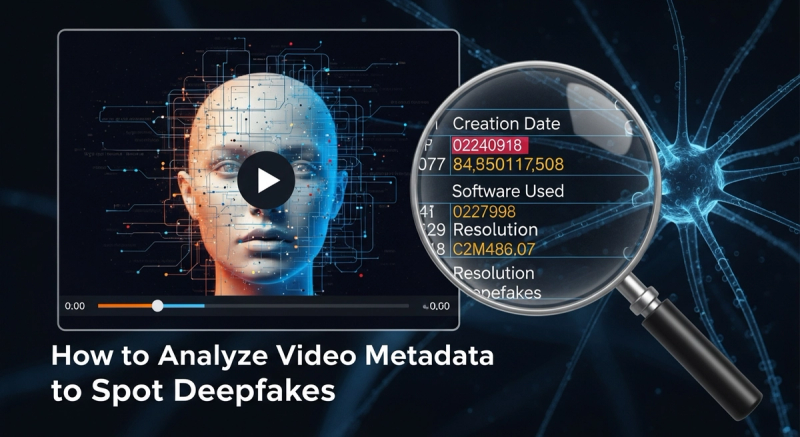
As deepfake technology becomes increasingly sophisticated, distinguishing authentic videos from AI-generated forgeries has never been more critical. While visual and audio analysis often take center stage, video metadata—often called the "DNA" of digital files—holds powerful clues that can reveal deepfake manipulations. This 2026 guide breaks down how to systematically analyze video metadata to spot deepfakes, empowering journalists, content creators, and everyday internet users to navigate our increasingly complex media landscape. By understanding the hidden data within video files, you'll gain a reliable forensic edge against digital deception.
Why Video Metadata Matters in Deepfake Detection
Video metadata includes embedded data that describes how, when, and where a file was created and processed. Unlike the visible content, this information is rarely altered by deepfake tools, creating digital "fingerprints" that can betray synthetic origins. In 2026, as deepfakes grow more convincing, metadata analysis serves as an essential, often overlooked first line of defense. It reveals inconsistencies between a video's claimed origin and its actual creation process—such as impossible timestamps, mismatched device specifications, or signs of AI compression artifacts that bypass human perception.
Step 1: Understand Key Metadata Categories
Before diving into analysis, familiarize yourself with three core types of video metadata:
- Technical Metadata: Includes codec information, resolution, frame rates, bitrates, and compression settings. Deepfake generation often leaves traces here through unusual compression patterns or synthetic frame interpolation.
- Descriptive Metadata: Contains file creation/modification dates, geotags, and device model details. Genuine videos rarely show temporal or geographical impossibilities, while deepfakes may exhibit inconsistent timestamps or fake location data.
- Administrative Metadata: Tracks software used for editing (e.g., "FFmpeg v5.1" vs. "DeepLabCut v3.0"). This can flag AI-specific processing tools used in deepfake creation.
For a deeper dive into verifying AI-generated content, explore How to Verify AI-Generated Content: 10 Tools & Techniques for 2026.
Step 2: Extract Metadata Using Specialized Tools
Standard media players rarely display comprehensive metadata. Use these dedicated tools:
- FFmpeg: The command-line powerhouse for technical metadata. Run
ffprobe -show_format -show_streams video.mp4to uncover codec details, frame rates, and audio sample rates. Look for anomalies like inconsistent frame interpolation (common in deepfakes). - ExifTool: Perfect for administrative/descriptive metadata. Run
exiftool -G1 -a -s video.mp4to see creation dates, device models, and editing software. Watch for software names like "Faceswap" or "DeepFaceLab." - Browser Extensions & Mobile Apps: For quick checks, try tools like Best Deepfake Detection Browser Extensions & Tools in 2026 or 10 Best Deepfake Detection Apps for iPhone & Android.
Step 3: Spot Critical Red Flags in Metadata
Focus on these telltale indicators during analysis:
- Temporal Anomalies: Creation/modification dates in the future or before camera invention (e.g., an iPhone 15 video dated 2022).
- Device Mismatches: A video claiming Samsung Galaxy S23 footage with Sony-specific EXIF data—or vice versa.
- Compression Irregularities: H.264/H.265 codecs with abnormally high bitrates (a sign of AI upscaling) or inconsistent GOP (Group of Pictures) structures.
- Audio-Video Discrepancies: 44.1kHz audio in a 60fps video (uncommon in genuine footage) or mismatched audio sample rates.
- Software Trails: References to AI tools like "StyleGAN3" or "Stable Diffusion" in metadata.
Step 4: Cross-Reference with Visual Analysis
Metadata alone isn't foolproof. Pair it with visual scrutiny:
- Check for unnatural facial morphing or blinking irregularities.
- Verify lighting/shadows against the claimed time/location.
- Look for edge artifacts around synthetic elements.
For advanced visual techniques, see Deepfake Detection: How to Spot AI-Generated Video and News in 2026.
Step 5: Leverage AI-Powered Metadata Analysis
In 2026, AI tools now automate metadata anomaly detection:
- Metadata Forensics Platforms: Services like Sensity or Reality Defender analyze metadata patterns across thousands of files to flag deepfake signatures.
- Browser Extensions: Tools like Deepfake Detection Extensions integrate metadata scanning with real-time analysis.
Stay updated on detection tech via Latest AGI Updates 2026.
Staying Ahead in the Deepfake Era
The cat-and-mouse game with deepfakes evolves rapidly. To maintain your edge:
- Update Your Toolkit: New codecs and AI tools emerge constantly. Regularly refresh your metadata analysis skills through Media Literacy Resources & Courses to Survive the Deepfake Era.
- Combine Methods: Use metadata, visual analysis, and audio checks together. No single method is foolproof.
- Verify Sources: Always cross-check videos with multiple trusted sources.
Conclusion
Video metadata analysis is a potent, accessible weapon in the fight against deepfakes. By understanding technical, descriptive, and administrative metadata red flags, using specialized tools, and combining insights with visual checks, you can significantly improve your detection capabilities. As deepfake technology advances into 2026 and beyond, a metadata-first approach provides a reliable foundation for digital verification—empowering you to distinguish truth from manipulation in our media-saturated world.
What metadata is most reliable for spotting deepfakes?
Technical metadata (codecs, bitrates, frame rates) and administrative metadata (software used, creation dates) are most revealing. Deepfake tools often leave traces in compression settings or reference AI-specific software.
Can I analyze metadata without technical expertise?
Yes! Tools like ExifTool (with a GUI version) and browser extensions simplify analysis. For beginners, start with mobile apps like Deepfake Detection Apps.
Do all deepfakes have detectable metadata flaws?
No. Advanced deepfakes may scrub metadata, but many tools still leave traces. Always combine metadata analysis with visual and audio checks for best results.
How often should I update my deepfake detection skills?
Every 3–6 months. Subscribe to AGI Updates 2026 to stay ahead of evolving techniques.
Is metadata analysis legally admissible as evidence?
In many jurisdictions, yes—when extracted using forensically sound tools. Consult legal experts to ensure proper chain of custody.
Related Tags

About the Author
Tyler Cole
Tyler Cole writes about business, personal finance, investing, entrepreneurship, and market trends. His work focuses on helping readers understand economic developments, build financial confidence, and make smarter money decisions.
Enjoyed this article?
Check out more content on our blog or follow us on social media.
Browse more articles